
Bublr Guide
How Do I Receive and Select Jobs?
As a Bublr, you control which jobs you take. This guide walks you through every way to find, review, and accept jobs — from going online to managing your accepted work.


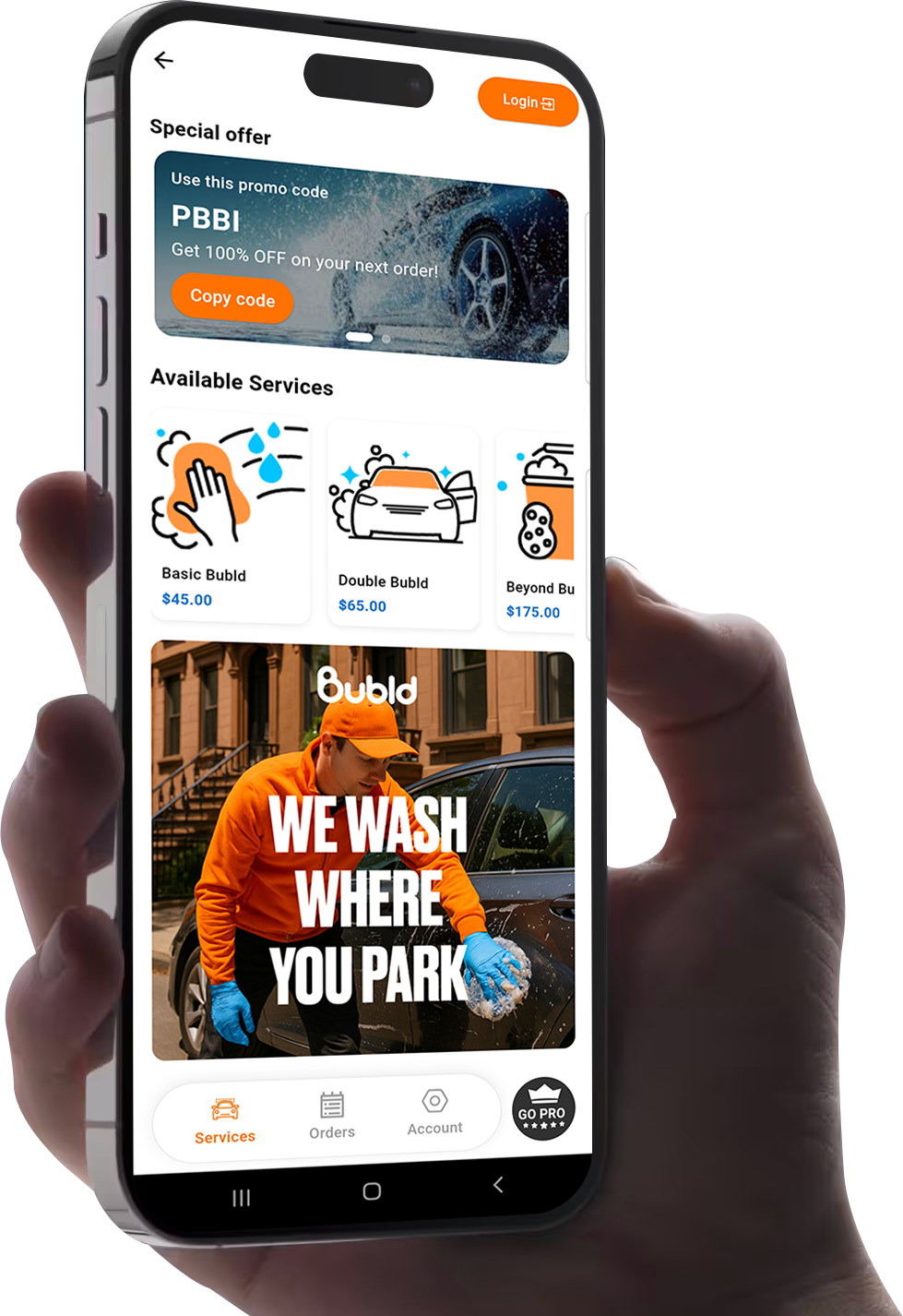
Use the "Home" Page
Tap on the orange button titled "Go Online and Accept Jobs" to start receiving job offers.
Before & After
The screenshots show your home screen before tapping the button (offline) and after (online and ready to receive jobs).
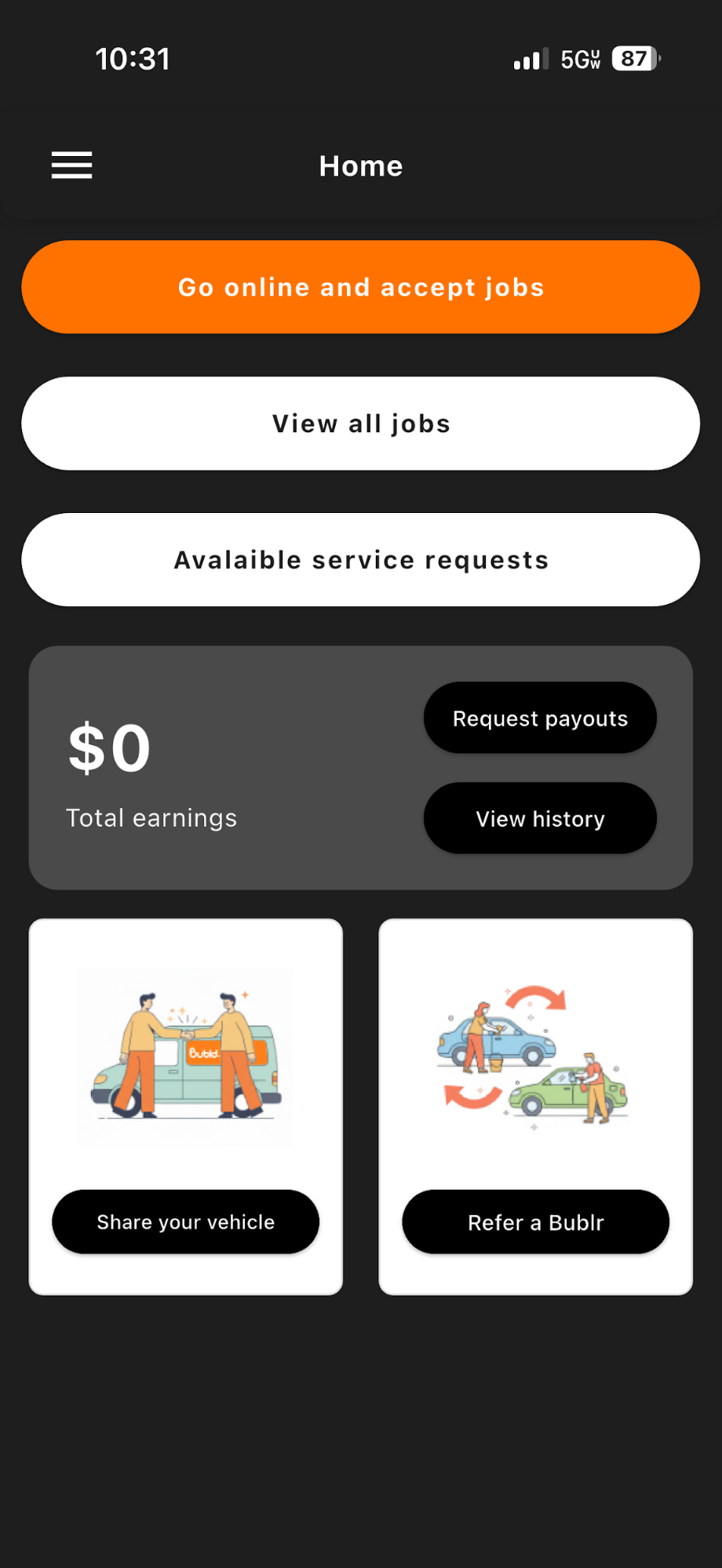
Before

Transitioning
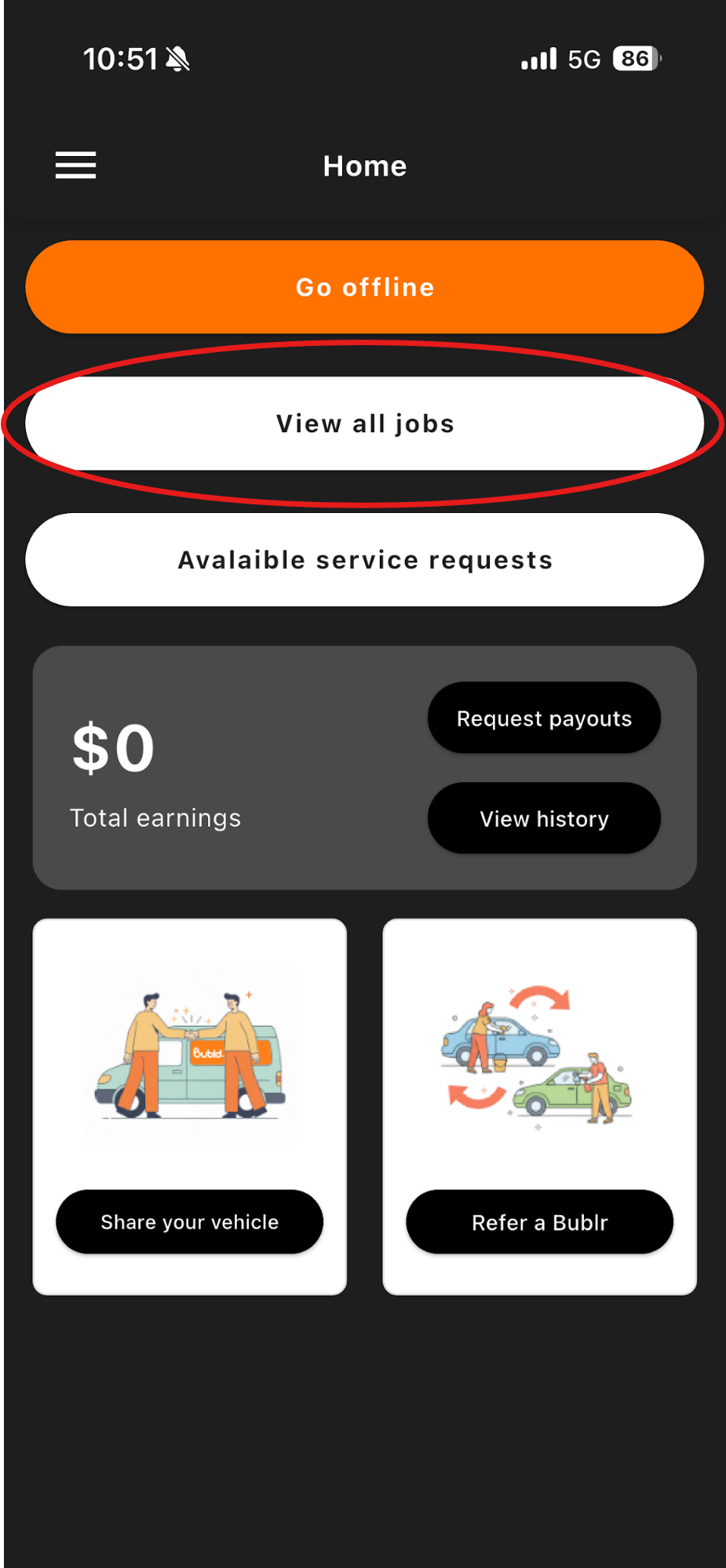
After
Once You're LIVE
Once you have gone "LIVE" you will start receiving Job announcements or a job will be assigned to you.
- 1You'll begin receiving job announcement pop-ups.
- 2Tap on a job announcement to view the job details.
- 3Then choose "Start Job" or "Cancel Job" on the bottom of the screen.
This is all dependent on the algorithm's final decision.
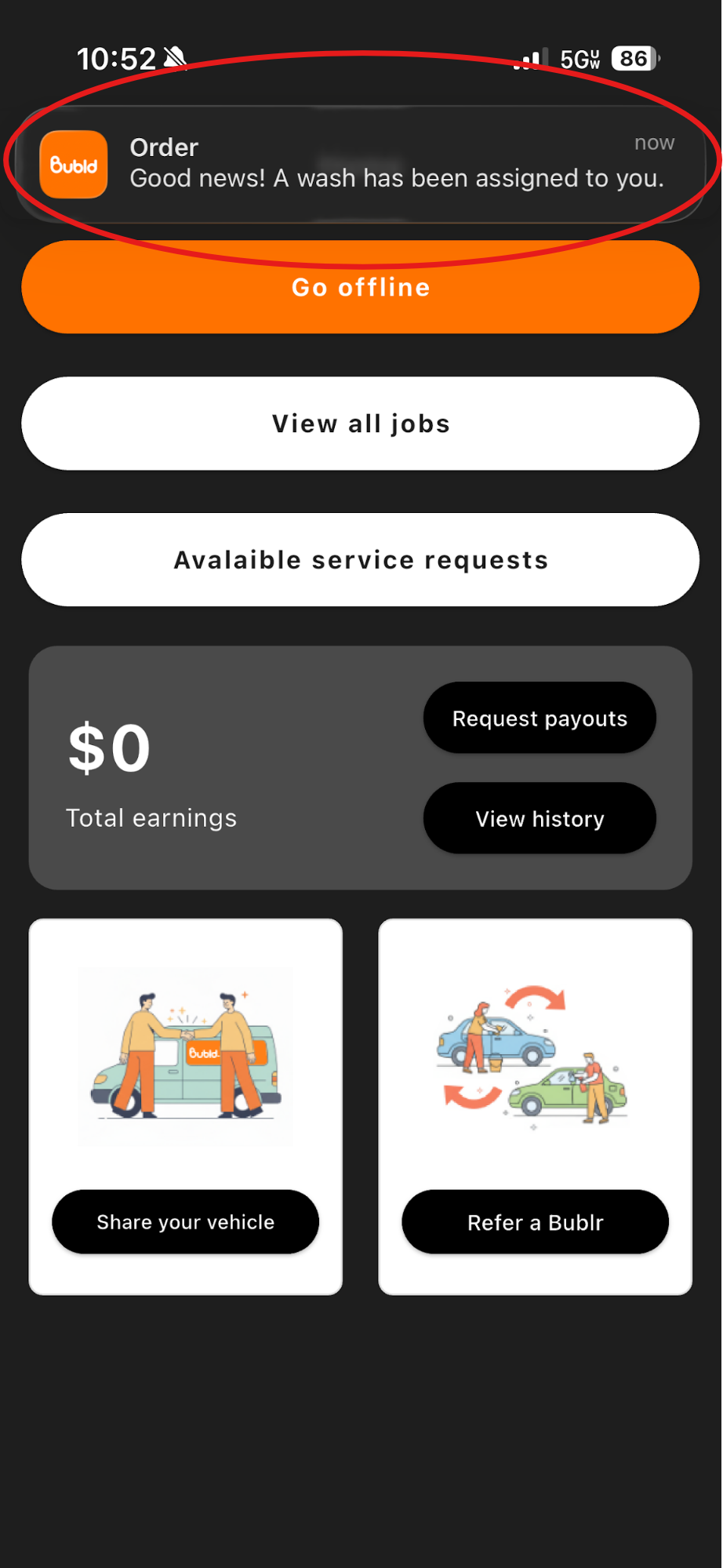
Job pop-up
Job details
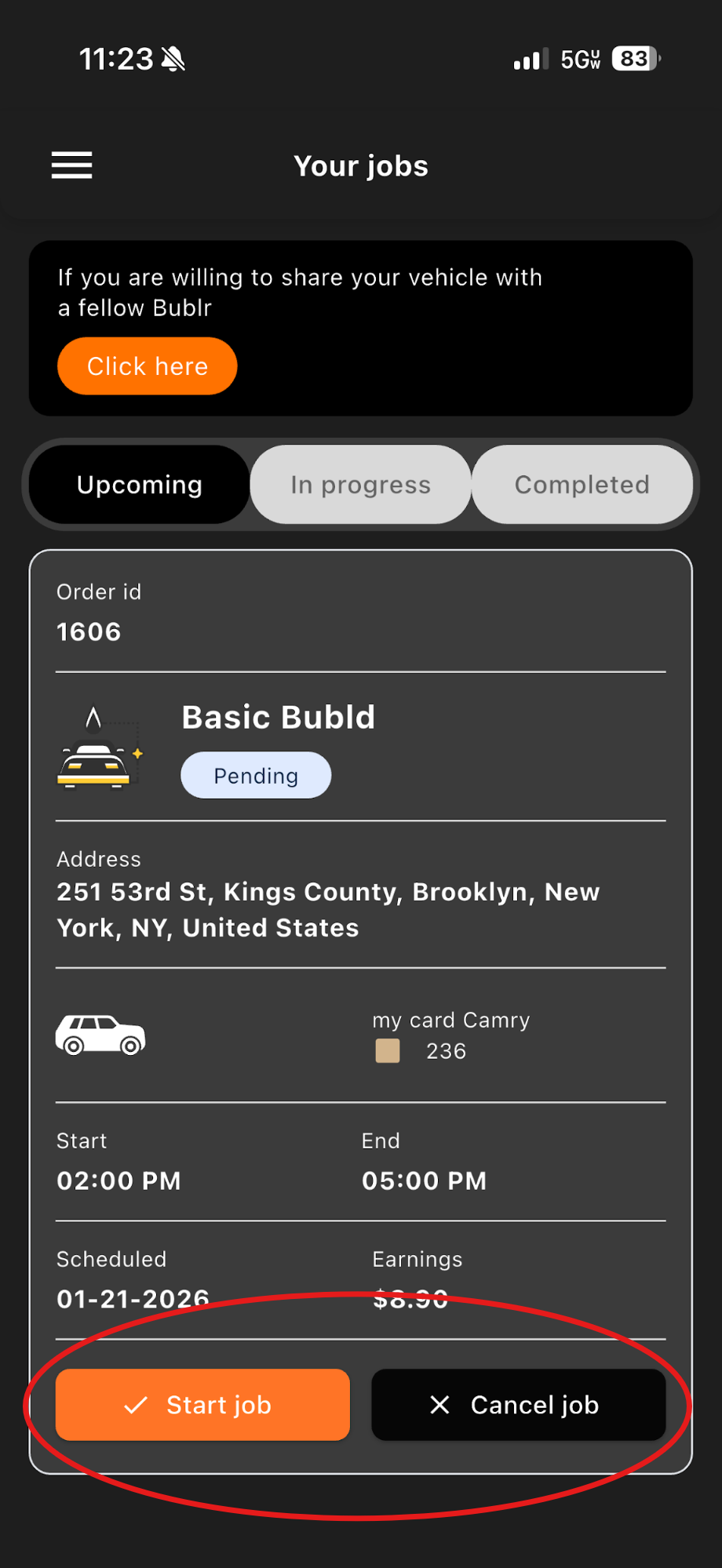
Start / Cancel
Use Review Scheduled Jobs
You can also view and accept jobs from the "Service Requests" page. This section lists customer requests for future jobs.
- 1To see future washes, click on "Available service requests."
- 2Click on the vehicle you wish to wash.
- 3All information needed will be provided once the vehicle you wish to wash has been clicked.
- 4Once the job has been accepted, a confirmation notification will appear.
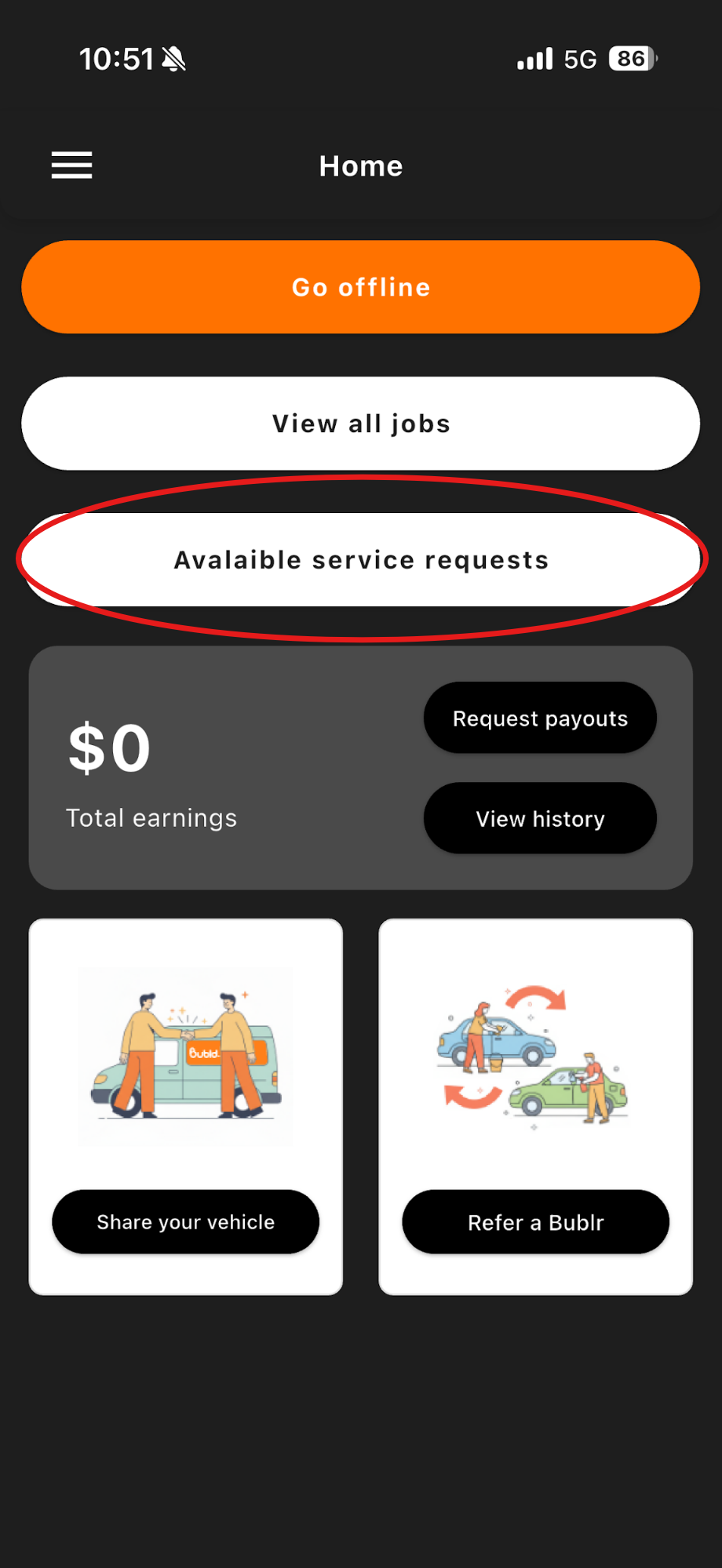
Available requests
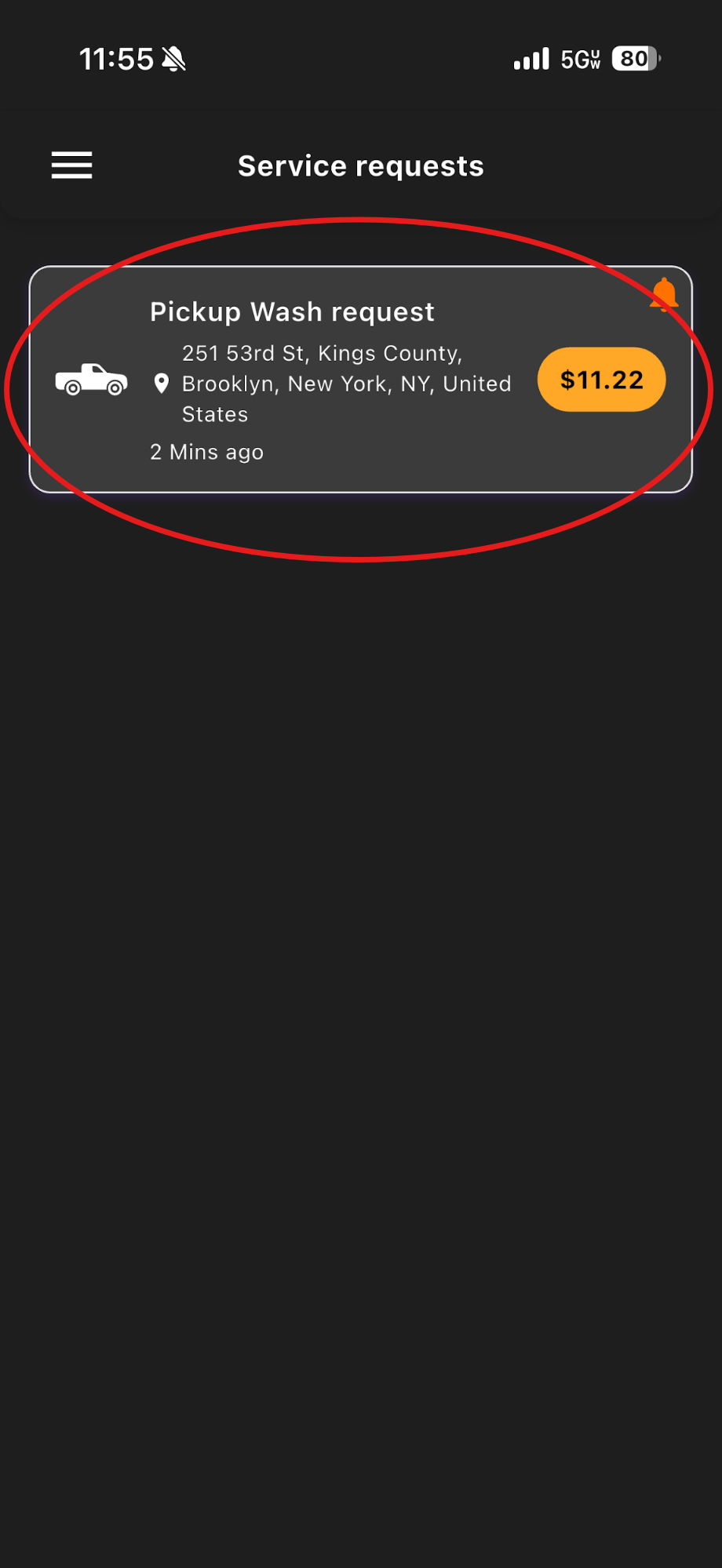
Select vehicle
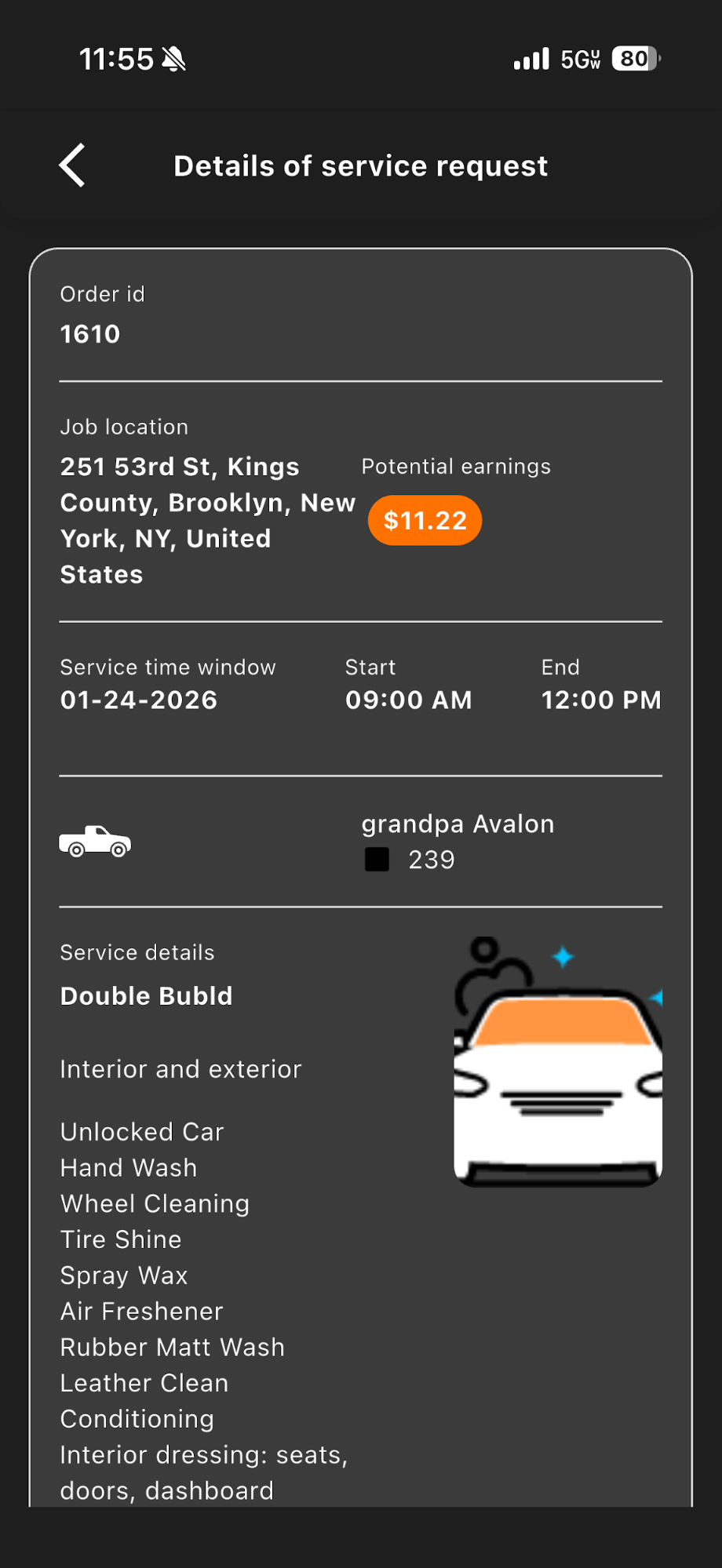
Job info
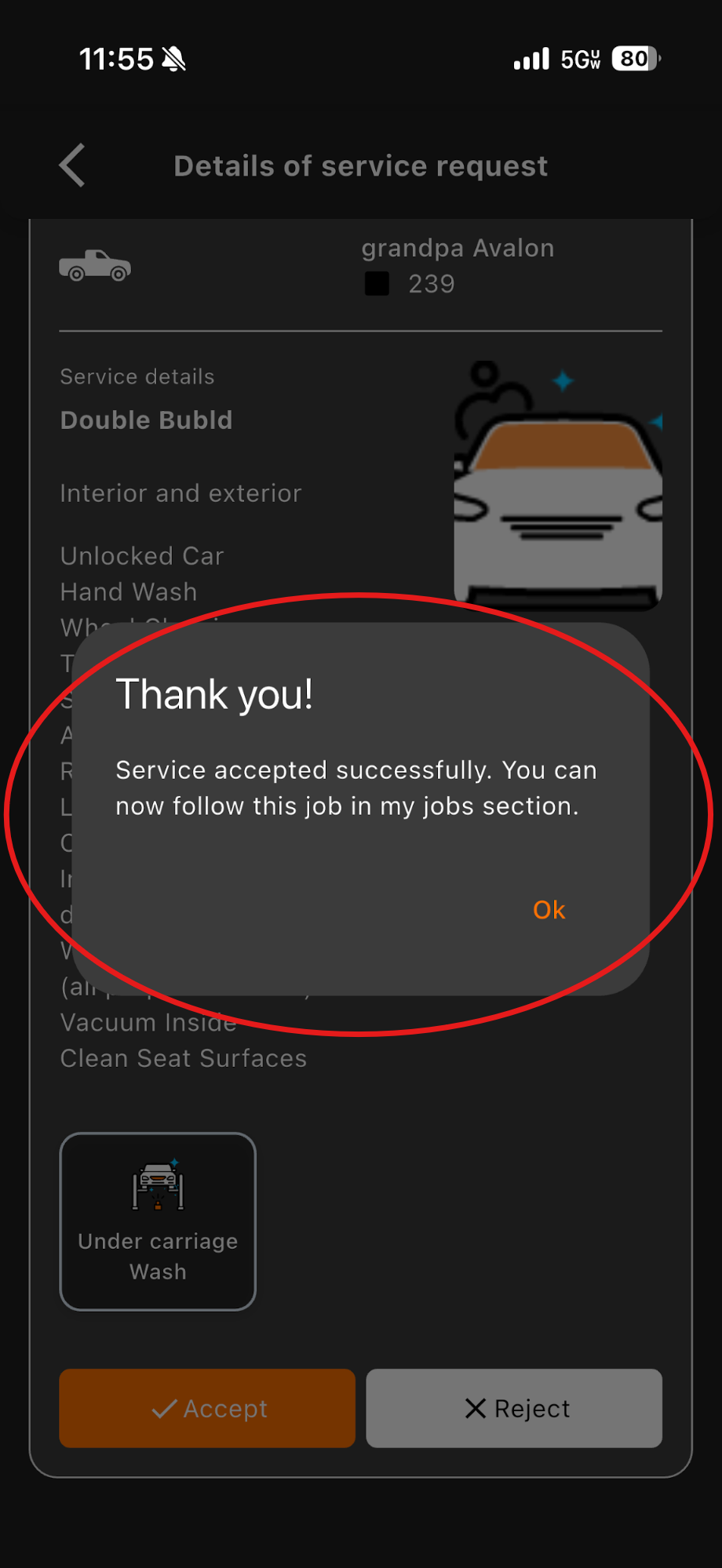
Accepted
Your Accepted Jobs
Once you accept a job, it will move to the "My Jobs" page, where you'll find all of your scheduled jobs in one place.
- 1Click on the "Menu" icon located on the top left within the home screen.
- 2Then click on the "My Jobs" tab.
- 3This is where you will see all jobs you may have.
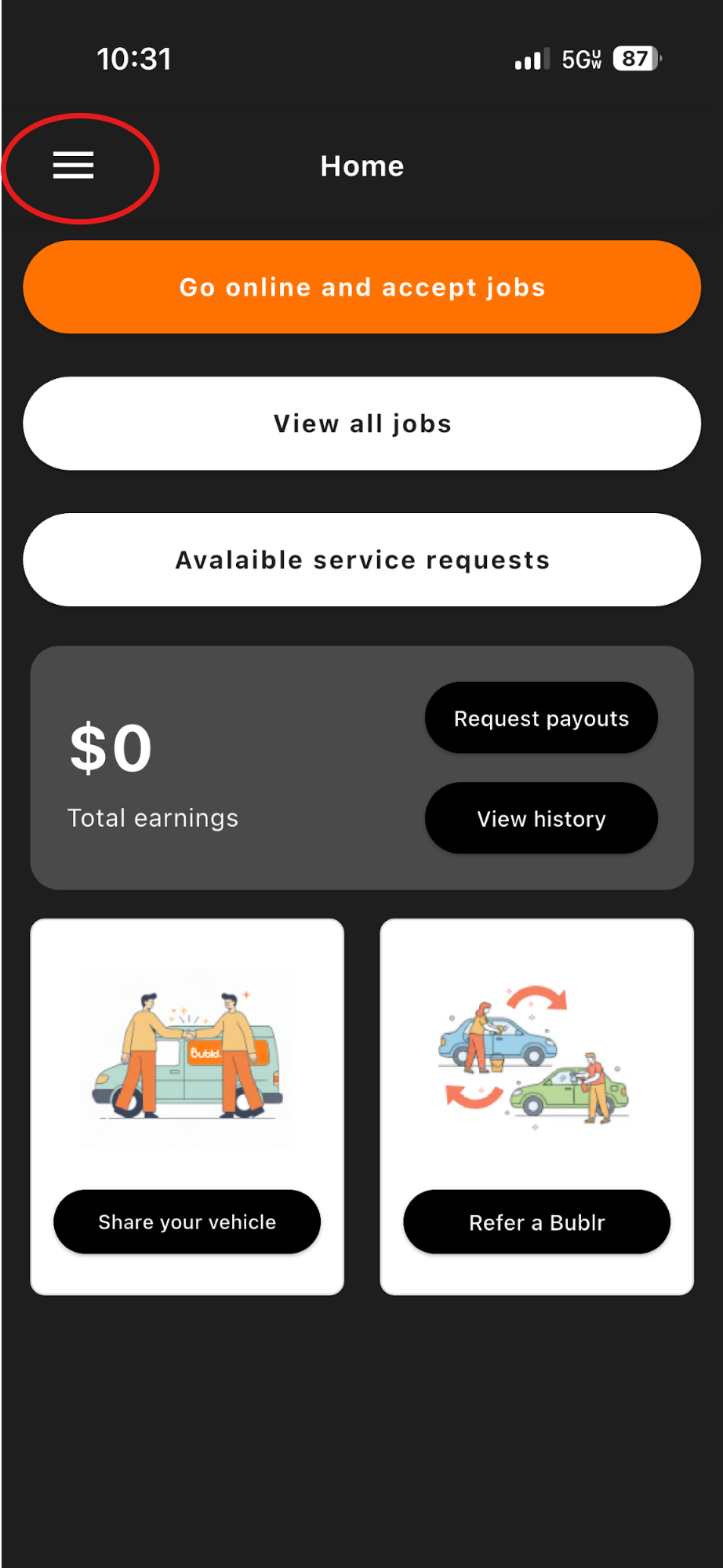
Menu
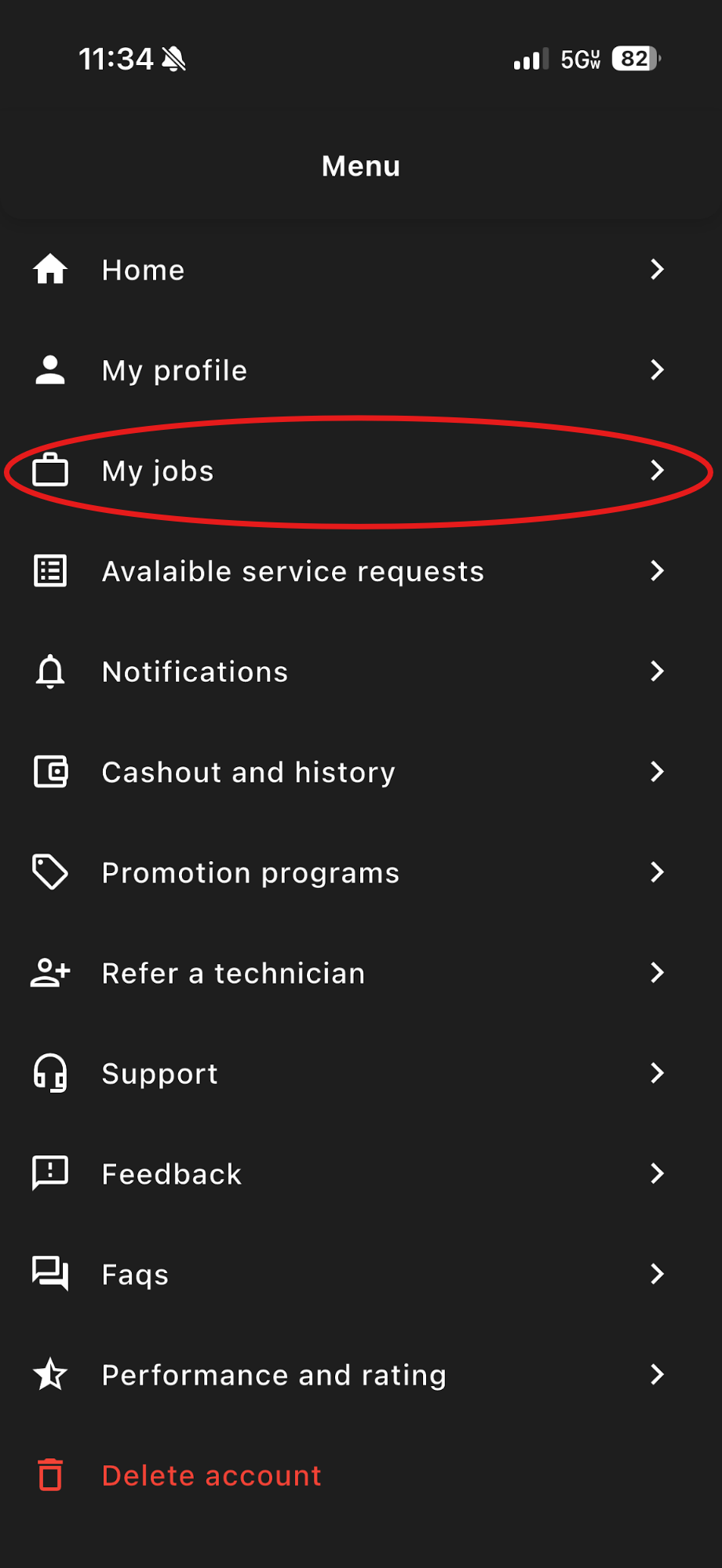
My Jobs
Scheduled jobs
Each Job Shows Key Details Including:
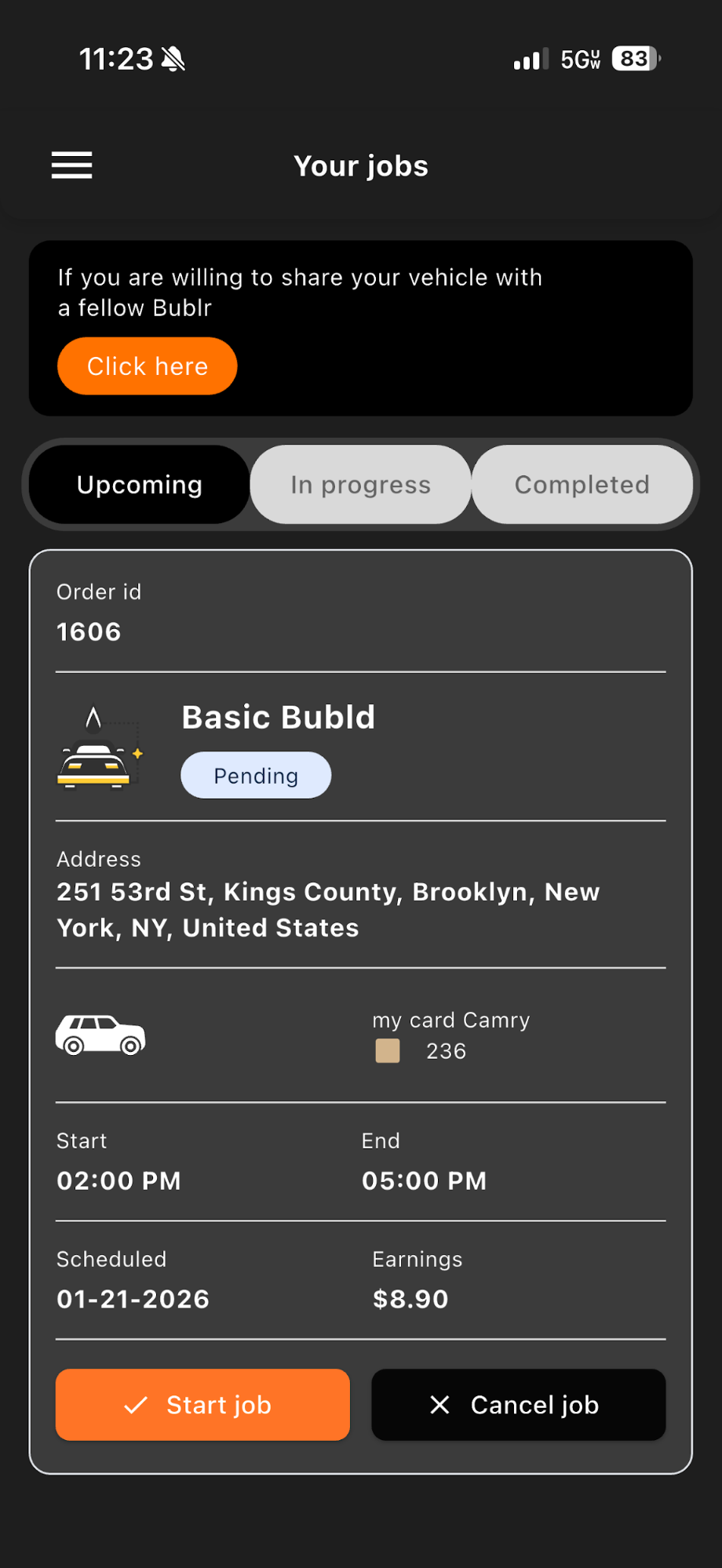
Now That You Have Jobs Accepted, You Are Ready to Work!
🎉 Congratulations on Your First Job!
You've learned how to go online, receive jobs, review scheduled requests, and manage your accepted jobs. Now it's time to start your first wash.
Explore the Full Guide.
Each section below covers a specific part of the Bublr experience in detail. Select any topic to get started.
Getting Started
Complete onboarding walkthrough — app download to first job offer.
Job Selection
How to read a job offer and decide whether to accept.
Starting My Job
What to do from the moment you accept through job completion.
Menu Walkthrough
A full tour of every screen and feature in the Bublr app.
Be a Team Player
How Bublrs support each other and uphold quality standards.
Reporting Issues
How to report problems during or after a job.
Sharing Your Vehicle
Guidelines for Bublrs who share a vehicle with a partner.
Referring Bublrs
How the referral program works and how to earn from it.
Our Policy
Learn about Bublr's policies and guidelines.
Ready to Get Started?
You now know exactly how Bubld works. The next step is yours.
Legal Contractor Notice: Bublrs are independent contractors, not employees of Bubld. Availability, earnings, and workload vary by location and demand. Service areas are currently limited — check the app to confirm availability in your area.